Your Personal Movie & TV Show Library

Stop streaming and start saving. This guide shows you how to use Vidmate to download unlimited movies and TV series for free, ready for offline viewing anytime.

Why Download Movies and Shows?

In an age of countless streaming services, each with its own subscription fee, finding all your favorite movies and shows in one place is nearly impossible. Moreover, what happens when you’re traveling, on a plane, or in a place with no internet? Vidmate solves this problem by giving you the power to download virtually any movie or TV series directly to your device, creating a permanent, offline library that’s yours to keep.

You can even run it on a bigger screen by installing Vidmate on a PC. common questions we receive, and the answer is crucial: The safety of Vidmate depends entirely on where you download it from. The official Vidmate app itself is designed to be a powerful, secure tool for downloading media. 

The Ultimate Cinematic Downloader

Vidmate is engineered to be the perfect tool for movie and TV show enthusiasts:

Huge Library of Movies

Access a massive collection of Bollywood, Hollywood, and regional films across all genres.

Complete TV Series

Download entire seasons of your favorite TV shows, with all episodes organized and ready to watch.

HD Quality & Offline Access

Choose your download quality, up to 1080p HD, and watch everything without buffering or data usage.

How to Download Movies & Shows (Step-by-Step)

The process is incredibly straightforward with Vidmate’s built-in features:
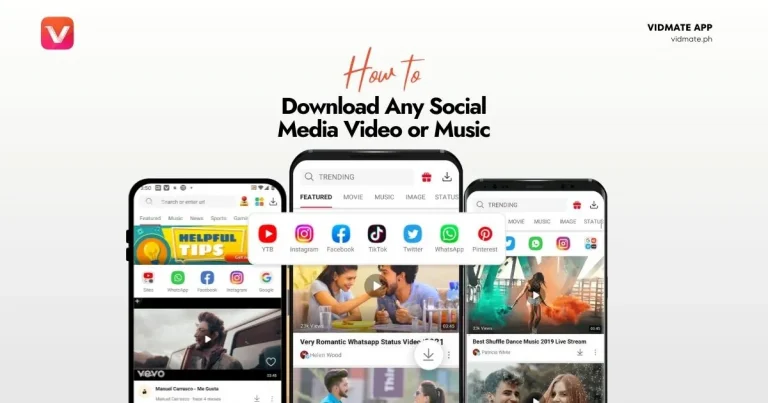
  • Search for a Movie or Show: Open the Vidmate app. Use the search bar at the top to type in the name of the movie or TV series you want to download. Vidmate will search across multiple sources to find it.
  • Select from the Results: Tap on the correct movie or show from the search results. This will take you to its dedicated page where you can see details and download options.
  • Choose Quality and Download: Tap the prominent ‘Download’ button. A pop-up will appear, allowing you to select the video quality (e.g., 720p, 1080p). For TV shows, you can often select multiple episodes at once. Make your selection and tap ‘Download’.
  • Access Your Offline Library: Your downloaded files will appear in Vidmate’s download manager and are also saved directly to your phone’s storage, ready to be watched with any media player.

Frequently Asked Questions (FAQs)

The legality of downloading copyrighted material varies by country and depends on the source of the content. Downloading content for personal, offline viewing is often considered acceptable, but distributing it is illegal. We encourage all users to respect copyright laws and support content creators. For more details on safety, read our security guide.

Vidmate acts as a powerful search engine and downloader, aggregating links from hundreds of publicly available third-party video hosting sites and online sources. It does not host any content itself, which is a key reason it is considered safe. Our homepage emphasizes this commitment.

In many cases, yes. When you play a video within Vidmate’s built-in player, it often gives you an option to search for and download subtitles in various languages for the specific movie or show you are watching.

Generally, yes. The files available through Vidmate are typically the original, unedited versions of the movies and shows as found on the source websites. The quality and format depend on what is available from the source link. It’s similar to how you would download from social media

Similar Posts

Leave a Reply

Your email address will not be published. Required fields are marked *